


Everything new in Livewire 4 has officially arrived, and it represents the most ambitious evolution of the framework since its inception. Rather than introducing unnecessary abstractions or increasing complexity, Livewire 4 focuses on something far more valuable: better defaults, fewer mental hurdles, and more expressive tools that feel natural to Laravel developers.
This release is not about changing what made Livewire successful. Instead, it refines and strengthens its core philosophy, building dynamic, reactive interfaces using server-side rendering without leaving PHP, while borrowing the best ideas from modern frontend architecture.
Over the past several months, the Livewire team has taken a step back and asked fundamental questions:
- How should Livewire components feel to work with?
- How can we reduce boilerplate even further?
- How do we scale components without sacrificing simplicity?
- How can performance be improved without pushing complexity to the developer?
Livewire 4 is the result of those questions. In this article, we’ll explore every major feature in detail, explain why it matters, and show how it fits into real-world Laravel applications.
A New Default: View-Based Components
One of the most visible and impactful changes in Livewire 4 is how components are written. Historically, Livewire components were split across two files:
- A PHP class for logic
- A Blade file for presentation
While this structure worked well, it introduced friction—especially for smaller components—by forcing developers to constantly jump between files.
Single-File Components
Livewire 4 introduces view-based components, where logic, markup, styles, and JavaScript live in a single Blade file.
<?php // resources/views/components/⚡counter.blade.php

use Livewire\Component;

new class extends Component {
    public $count = 0;

    public function increment()
    {
        $this->count++;
    }
};
?>

<div>
    <h1>{{ $count }}</h1>
    <button wire:click="increment">+</button>
</div>

<style>
    /* Scoped CSS */
</style>

<script>
    /* Component JavaScript */
</script>
This approach offers several advantages:
- Everything related to the component lives in one place
- Small components are faster to build and reason about
- There is no need to mentally map PHP logic to a separate Blade file
- Styles and scripts stay close to the markup they affect
Lightning Bolt Naming Convention
Livewire components created this way are prefixed with a ⚡ lightning bolt emoji, making them instantly recognizable in your file tree. This visual cue helps distinguish Livewire components from standard Blade components at a glance.
If emojis are not your preference, this behavior can be disabled but for many developers, it becomes a surprisingly helpful convention.
Multi-File Components (MFC)
For larger or more complex components, Livewire 4 supports a multi-file component format that keeps everything organized within a single directory:
⚡counter/
├── counter.php
├── counter.blade.php
├── counter.css (optional)
├── counter.js (optional)
└── counter.test.php (optional)
You can create this structure using:
php artisan make:livewire counter --mfcAt any point, you can convert between single-file and multi-file formats using:
php artisan livewire:convertThis flexibility ensures Livewire works equally well for small UI widgets and large, enterprise-scale components.
Unified Routing with Route::livewire()
Routing Livewire components has always been powerful, but Livewire 4 introduces a cleaner, more consistent syntax.
Before Livewire 4
Route::get('/posts/create', CreatePost::class);Livewire 4 Approach
Route::livewire('/posts/create', 'pages::post.create');This new syntax references components by name rather than PHP class, aligning routing with how components are referenced everywhere else in the framework.
Why This Matters
- Improves consistency across rendering, routing, and component usage
- Reduces tight coupling between routes and PHP class names
- Makes refactoring and reorganizing components safer
- Encourages a more declarative architecture
The older syntax is still fully supported, ensuring smooth upgrades for existing applications.
Opinionated Namespaces for Better Structure
Livewire 4 introduces sensible defaults for organizing your application.
Default Namespaces
Out of the box, Livewire provides two primary namespaces:
- pages:: – Full-page components
- layouts:: – Layout components
Everything else lives in:
resources/views/componentsThis structure encourages clarity by separating pages from reusable components.
Example
Route::livewire('/dashboard', 'pages::dashboard');Custom Namespaces
For larger or modular applications, you can define your own namespaces:
- admin::
- billing::
- marketing::
This makes Livewire particularly well-suited for monoliths, SaaS platforms, and multi-team projects.
Component-Scoped Scripts and Styles
Livewire 4 eliminates the need for scattered CSS and JavaScript files by allowing both to live directly inside your components.
Scoped Styles
These styles are automatically scoped, ensuring they only apply to the component they belong to.
<style>
.title {
    color: blue;
    font-size: 2rem;
}
</style>
These styles are automatically scoped, ensuring they only apply to the component they belong to.
If global styles are needed, simply add:
<style global>
Component JavaScript
<script>
    this.$js.celebrate = () => {
        confetti()
    }
</script>
Component scripts have access to:
- this → the component instance
- $wire → server interaction
- $js → client-side actions
Livewire automatically serves these scripts and styles as native .js and .css files, enabling browser caching and improving performance.
Islands: Fine-Grained Reactivity
Islands are the flagship feature of Livewire 4 and represent a major leap forward in performance and architectural flexibility.
What Are Islands?
Islands are isolated reactive regions within a component that can update independently.
@island
    <div>
        Revenue: {{ $this->revenue }}
        <button wire:click="$refresh">Refresh</button>
    </div>
@endisland
Only the island re-renders when refreshed; everything else on the page remains untouched.
Why Islands Matter
Before Livewire 4, achieving this level of isolation required extracting child components, passing props, and coordinating events. Islands eliminate that overhead.
Performance Benefits
- Reduced DOM diffing
- Smaller network payloads
- Isolated database queries
- Faster updates for complex pages
Advanced Island Features
- Lazy loading (lazy: true)
- Named islands for targeted updates
- Append mode for infinite scroll scenarios
<button wire:click="loadMore" wire:island.append="feed">
    Load more
</button>
Slots and Attribute Forwarding
Livewire 4 fully embraces Blade’s slot and attribute forwarding patterns.
Slots with Reactivity
<livewire:card :$post>
    <h2>{{ $post->title }}</h2>
    <button wire:click="delete({{ $post->id }})">Delete</button>
</livewire:card>
Slot content runs in the parent’s context, meaning actions like wire:click call the parent’s methods.
Attribute Forwarding
<livewire:post.show :$post class="mt-4" />
Inside the component:
<div {{ $attributes }}>
    ...
</div>
This makes Livewire components feel just as flexible as Blade components.
Built-In Drag and Drop
Livewire 4 includes native drag-and-drop sorting without external libraries.
<ul wire:sort="reorder">
    @foreach ($items as $item)
        <li wire:key="{{ $item->id }}" wire:sort:item="{{ $item->id }}">
            {{ $item->title }}
        </li>
    @endforeach
</ul>
public function reorder($item, $position)
{
    // Handle reorder logic
}
Advanced Options
- wire:sort: handle for drag handles
- wire:sort: ignore to protect interactive elements
- wire:sort :group for multi-list dragging
Smooth animations are handled automatically.
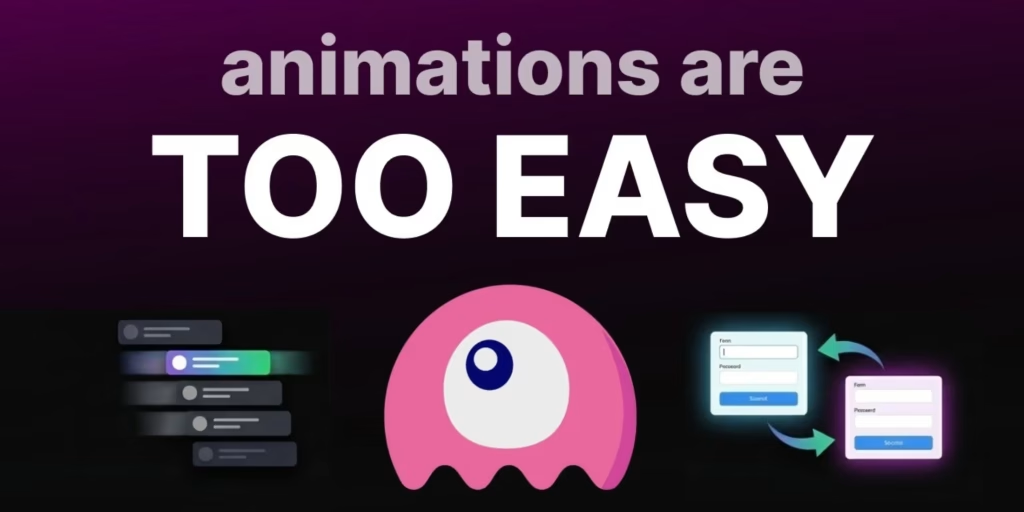
Smooth Transitions with wire: transition
Livewire 4 integrates with the browser’s View Transitions API for hardware-accelerated animations.
@if ($showAlert)
    <div wire:transition>
        Alert message
    </div>
@endif
Directional Transitions
#[Transition(type: 'forward')]
public function next() {}

#[Transition(type: 'backward')]
public function previous() {}
Developers can customize animations using CSS pseudo-elements like:
- ::view-transition-old()
- ::view-transition-new()
Optimistic UI and Instant Feedback
Livewire 4 introduces powerful optimistic UI directives that update the interface immediately—before the server responds.
Key Features
- wire:show – CSS-based visibility toggling
- wire:text – Instant text updates
- wire:bind – Reactive attribute binding
- $dirty – Unsaved change detection
<div wire:show="$dirty">Unsaved changes</div>
These features dramatically improve perceived performance and user experience.
Enhanced Loading States
Livewire 4 automatically adds a data-loading attribute to elements that trigger network requests.
<button wire:click="save" class="data-loading:opacity-50">
    Save
</button>
This allows advanced loading indicators using only CSS—no JavaScript required.
Inline Placeholders for Lazy Content
The @placeholder directive allows loading skeletons to live directly next to their content.
@placeholder
    <div class="animate-pulse h-32 bg-gray-200 rounded"></div>
@endplaceholder
JavaScript Power Tools
Livewire 4 dramatically expands JavaScript integration.
Refs
<input wire:ref="search" />
this.$refs.search.focus()
JSON Methods
#[Json]
public function search($query)
{
    return Post::search($query)->get();
}
Client-Only Actions
<button wire:click="$js.bookmark">Bookmark</button>
Interceptors
this.intercept('save', ({ onSuccess, onError }) => {
    onSuccess(() => showToast('Saved'))
})
Global interceptors allow application-wide handling of errors like session expiration.
Backward Compatibility and Upgrading
Livewire 4 maintains strong backward compatibility:
- Existing class-based components still work
- Old routing syntax remains supported
- New features are opt-in
This makes upgrading gradual, safe, and predictable.
Read More: Trump says Venezuela to hand over up to 50 million barrels of oil to US
FAQs
Is Livewire 4 production-ready?
Yes. Livewire 4 has been thoroughly tested and is designed for production use.
Do I have to rewrite my existing components?
No. Existing components continue to work without modification.
Are islands required?
No. Islands are optional but recommended for performance-sensitive areas.
Does Livewire 4 replace Alpine.js?
No. Livewire and Alpine work beautifully together and complement each other.
Can I disable view-based components?
Yes. You can continue using class-based components if preferred.
Conclusion
Livewire 4 is not just an upgrade, it’s a reimagining of what server-driven UI can feel like in modern Laravel applications. By introducing view-based components, islands, scoped assets, native drag-and-drop, optimistic UI patterns, and deep JavaScript integration, Livewire 4 delivers more power with less friction.It stays true to its roots while confidently stepping into the future, making it easier than ever to build fast, dynamic, and maintainable interfaces without abandoning PHP.
